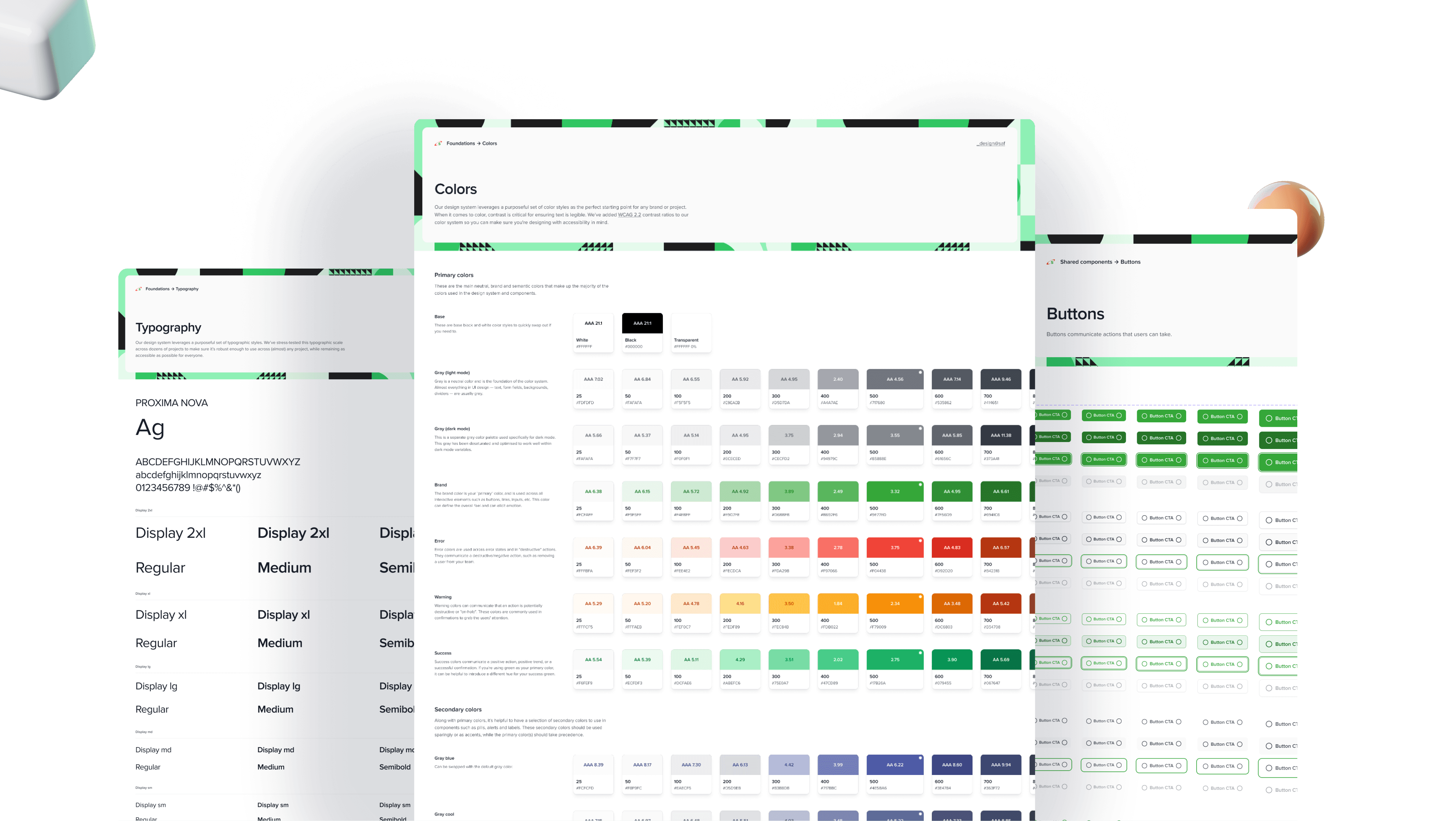
Design System
Design System
Enabling 100+ designers & developers to ship cohesive experiences faster
As we launched new products, our design system needed to evolve. I led the rebuild of Dira, improving its component library and enhancing foundational elements to create a more cohesive and scalable system.
Dira is designed to drive consistency, efficiency, and seamless collaboration between design and development.
By organizing and maintaining the system, I ensured a unified design language that strengthened brand identity, enhanced user engagement, and elevated the overall product experience.
Key Results

Improved Consistency: Achieved 90% component usage across products, reducing inconsistencies and design deviations.
Improved Consistency: Achieved 90% component usage across products, reducing inconsistencies and design deviations.
Faster Delivery: Cut average design-to-development handoff time by 35% through standardized components and clear documentation.
Faster Delivery: Cut average design-to-development handoff time by 35% through standardized components and clear documentation.
Increased Adoption: 100% of design and engineering teams actively using the Dira library within two months of launch.
Increased Adoption: 100% of design and engineering teams actively using the Dira library within two months of launch.
Responsibility
I owned the entire design system creation from foundation to implementation.
I handled stakeholder management, led multiple design iterations based on feedback, and collaborated closely with the development team to ensure seamless handoffs.
Timeline
3 month for the MVP
Progresive Improvements
👇 A glimpse of Dira
The highlight video shows a full walkthrough of Dira presented to the tech team with Chris. The session demonstrated how teams use Dira for design implementation, handoff, and translation of documented components into the code base.
How we got there
How we got there
The Problem
Shipping solutions was inefficient. Misalignments between the design and dev teams were common and the user experience lacked end-to-end cohesion. I enabled 100+ colleagues to ship at scale, while reducing repetitive design effort by 2-3x.
Before Dira, there was no internal design system. Each team designed in isolation, leading to:
Gaps we couldn't Ignore
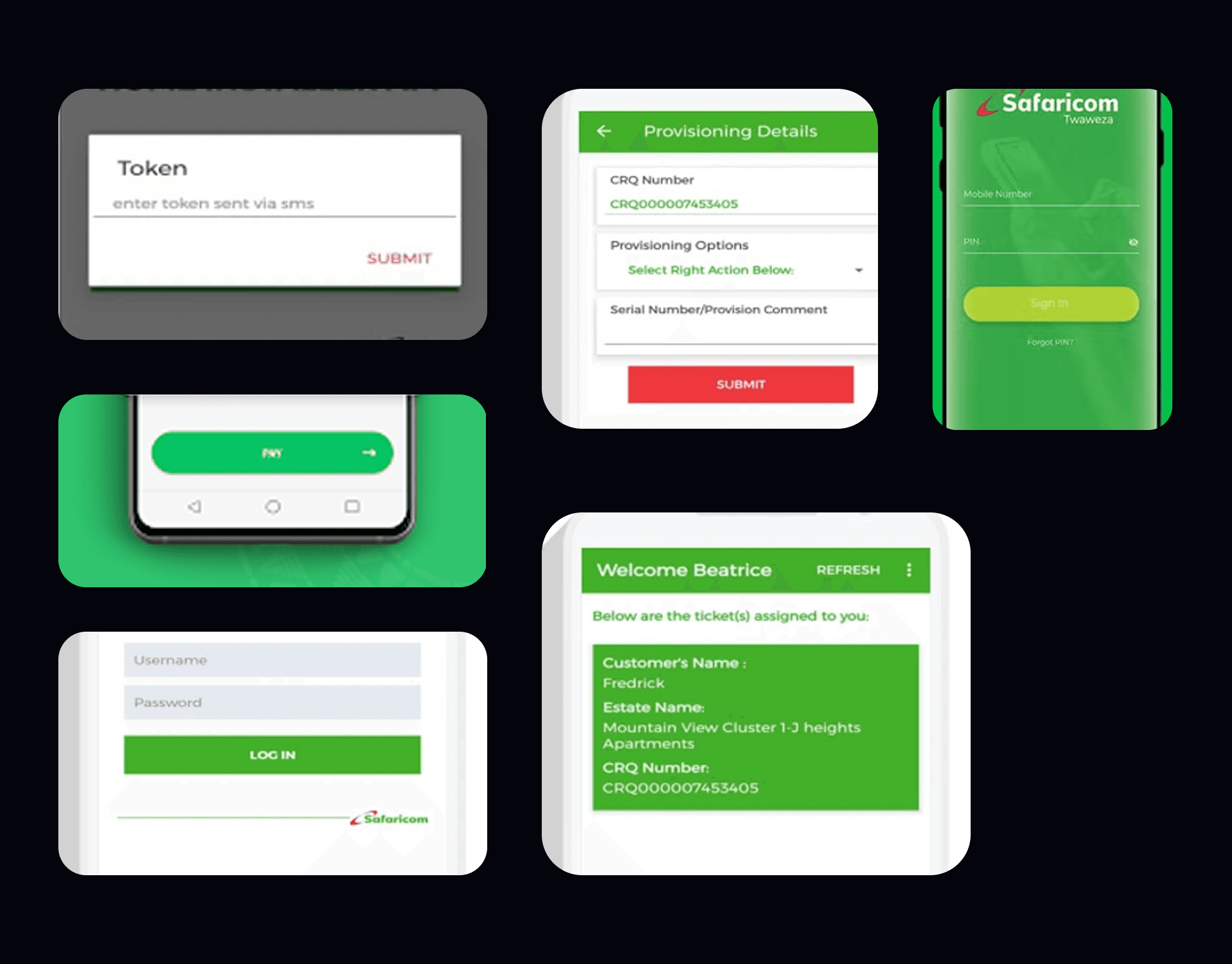
Inconsistent UI patterns across products
Repeated design work and wasted effort
Painful handoffs between design and development
Longer release cycles due to rework and QA issues
" This fragmentation slowed us down and diluted the brand experience."
Inconsistent UI patterns across products
Repeated design work and wasted effort
Painful handoffs between design and development
Longer release cycles due to rework and QA issues
" This fragmentation slowed us down and diluted the brand experience."
The Solution
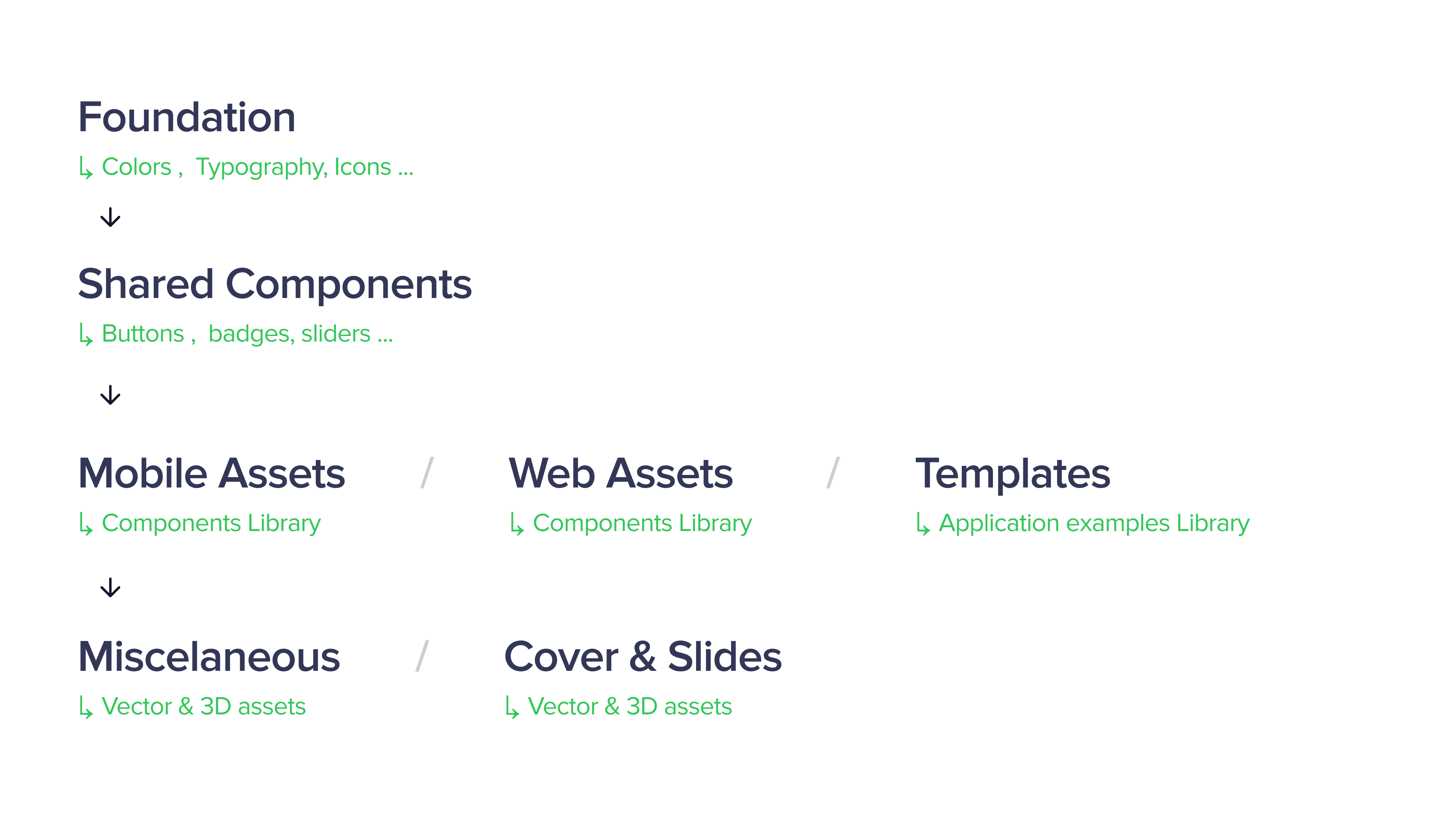
Dira is an internal design system created to bring consistency, efficiency, and scalability. Before Dira, design teams were creating screens in isolation — resulting in mismatched components, duplicated effort, and a lack of visual cohesion.
Dira supports a wide range of B2C and B2B products across web and mobile, so every decision must account for the scale and complexity of this ecosystem.
Below is a breakdown of how our Design System is structured, detailing its different layers and their purpose.
The Design Process
They say your design process is important, but they don’t tell you that every problem and situation will demand something new and different. So, no it was not double diamond, lean or agile, we were the process.
Discover
Discover
The problem was defined using evidence of inconsistent designs across teams. Existing products were reviewed and screenshots were gathered and interaction patterns were audited.
Develop
Develop
Component requirements were created from the audit findings. Early component drafts built in Figma with clear usage rules. Tested by designers and engineers in short review cycles.
Component requirements were created from the audit findings. Early component drafts built in Figma with clear usage rules. Tested by designers and engineers in short review cycles.
Deliver
Deliver
The Dira library is published with tokens, components, and guidelines. Designers and engineers are trained through short handover sessions.
The Dira library is published with tokens, components, and guidelines. Designers and engineers are trained through short handover sessions.
Who needs Help?
The Personas
Designer
Pain points
- Inconsistent components and interaction patterns across products. - Unclear naming and documentation causing delays
Needs
- A unified, easy-to-use component library. - Clear guidelines and usage rules
Goals
- Maintain design consistency - Improve team efficiency - Deliver high-quality products
Frontend Engineer
Pain points
- Designers use components differently. - Missing or incomplete documentation delays development
Needs
- Standardized components with code-ready specs. - Clear design tokens and interaction rules
Goals
- Receive predictable, consistent designs. - Reduce time spent clarifying UI details
Designer
Pain points
- Inconsistent components and interaction patterns across products. - Unclear naming and documentation causing delays
Needs
- A unified, easy-to-use component library. - Clear guidelines and usage rules
Frontend Engineer
Pain points
- Designers use components differently. - Missing or incomplete documentation delays development
Needs
- Standardized components with code-ready specs. - Clear design tokens and interaction rules
Goals
1.
Visual consistency
Standardize components, styles, and interactions to ensure a cohesive and polished user experience.
Visual consistency
Standardize components, styles, and interactions to ensure a cohesive and polished user experience.
2.
Improve design and development efficiency
Streamline workflows, reduce redundancies, and enhance collaboration to speed up execution.
Improve design and development efficiency
Streamline workflows, reduce redundancies, and enhance collaboration to speed up execution.
3.
Create a flexible and scalable system
Build a system that adapts to evolving needs, supports new use cases, and grows with our products.
Create a flexible and scalable system
Build a system that adapts to evolving needs, supports new use cases, and grows with our products.
👇 Dira Pro in action — across the org, in minutes.
Principles.

Aesthetics
A polished UI enhances trust and reduces friction.
Aesthetics
A polished UI enhances trust and reduces friction.

Gestalt approach
We use Gestalt principles for intuitive, coherent components.
Gestalt approach
We use Gestalt principles for intuitive, coherent components.

Light cognitive load
Clear choices and structure enable effortless decisions.
Light cognitive load
Clear choices and structure enable effortless decisions.

Visual hierarchy
Contrast, size, and spacing improve focus and scanning.
Visual hierarchy
Contrast, size, and spacing improve focus and scanning.

Consistency
Predictable patterns accelerate learning for seamless UX.
Consistency
Predictable patterns accelerate learning for seamless UX.

Adaptability
Components evolve to support new cases with consistency.
Adaptability
Components evolve to support new cases with consistency.
Let's get to work
Let's get to work
The Foundation
Organization of the file
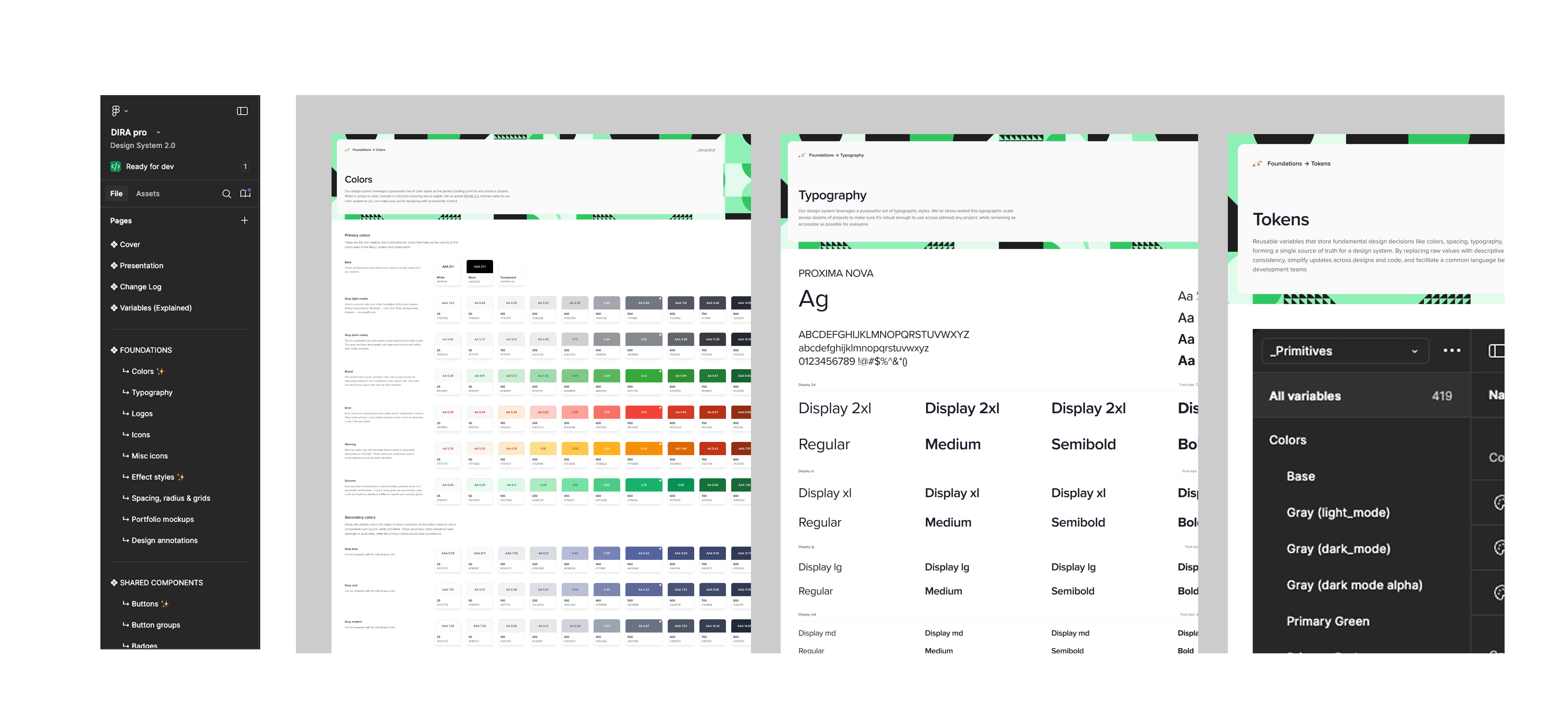
In our Foundations file, we follow industry best practices for structuring Design Systems, with dedicated pages for essential design elements.
Each page is organized with a clear layout: an introductory section on the left that provides context and guidelines, and a main content area on the right that showcases all design assets and specifications in detail.
This structure ensures clarity, ease of navigation, and efficient collaboration across teams.
General improvements
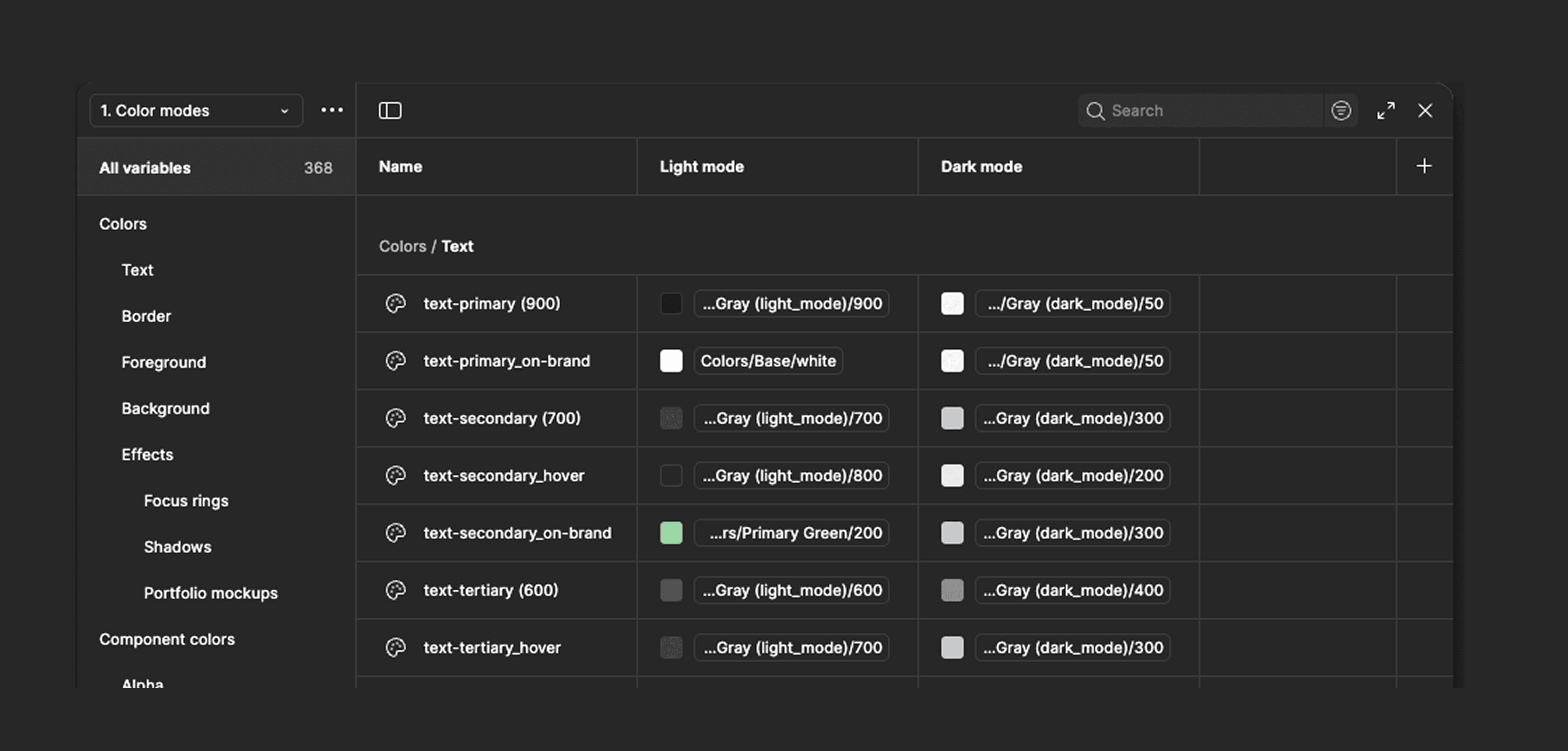
tokens
Improved the definition and structure of our design tokens, making them more scalable and adaptable to the diverse needs of all our products. This new system ensures consistency across our ecosystem while allowing flexibility to support future growth and evolving design requirements.
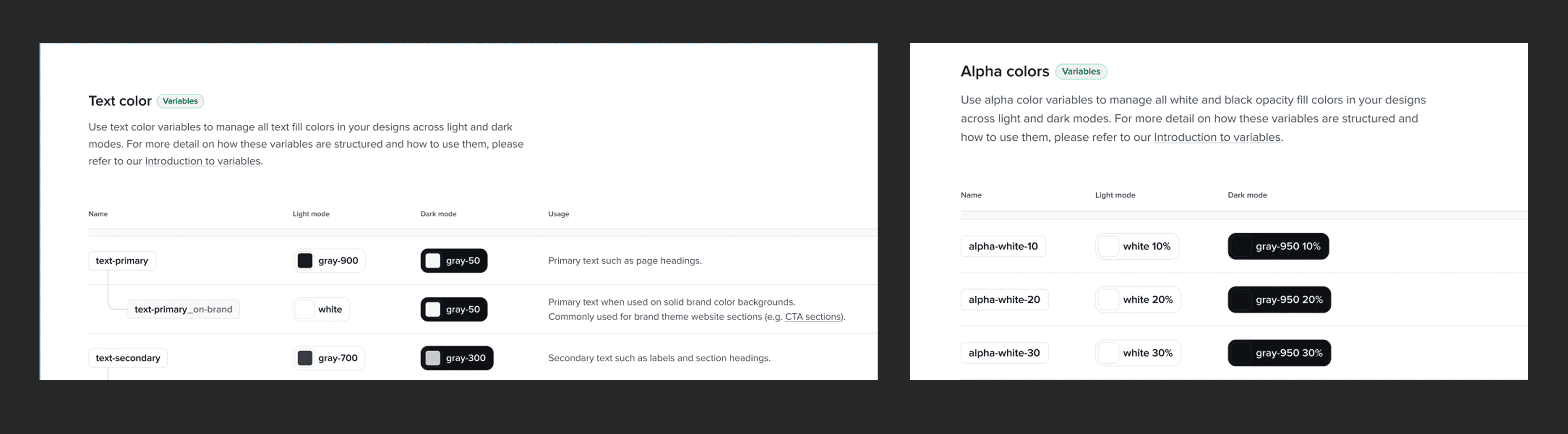
colors
Expanded and fine-tuned our color palette to enhance contrast and ensure accessibility, making our interfaces more inclusive and visually consistent.
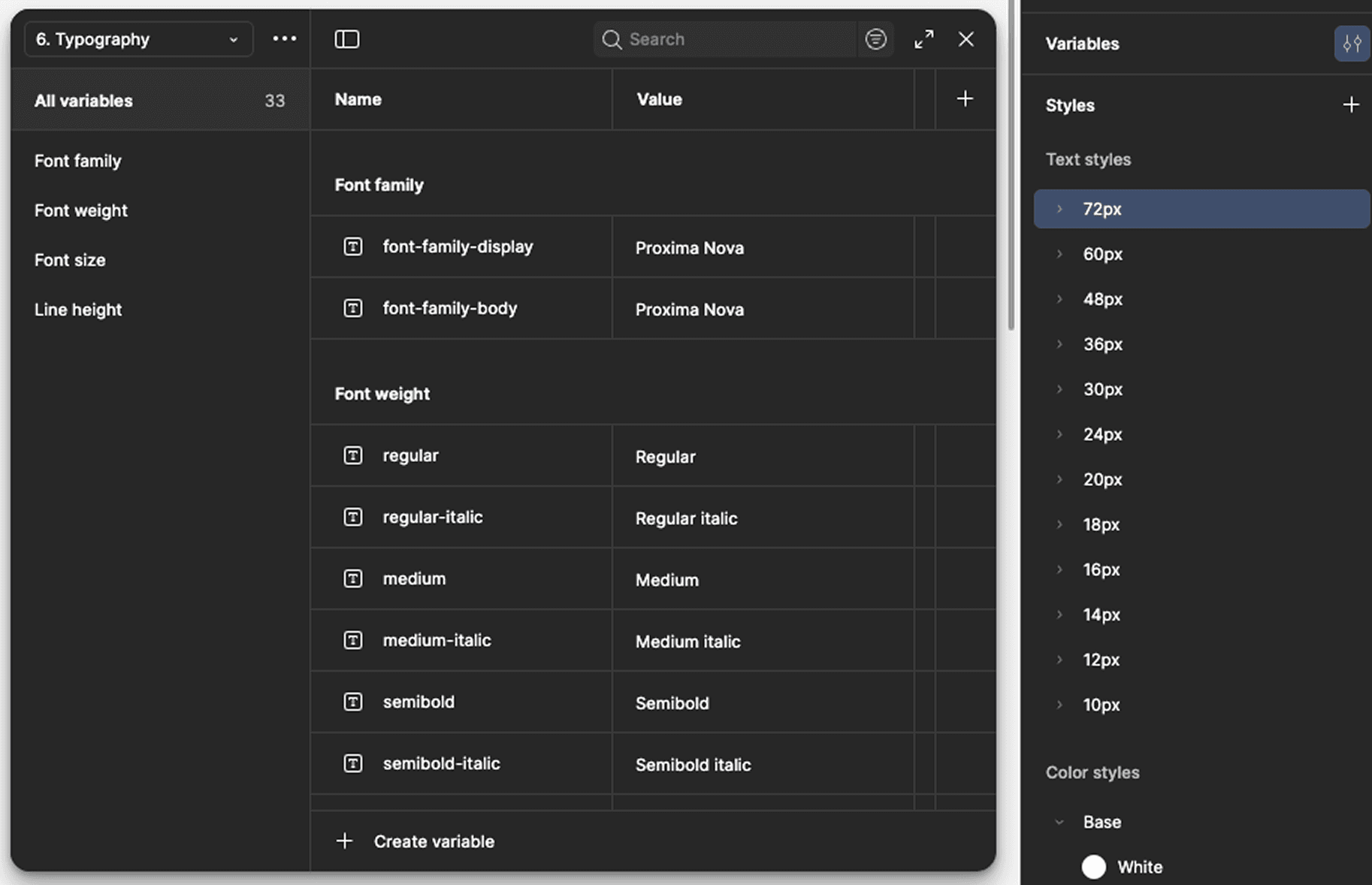
typography
Introduced the Proxima Nova font, replacing the previous (Futura) in many screens to reduce visual load and improve readability. Additionally, we adjusted the line height of certain styles for better text balance and clarity.
icons
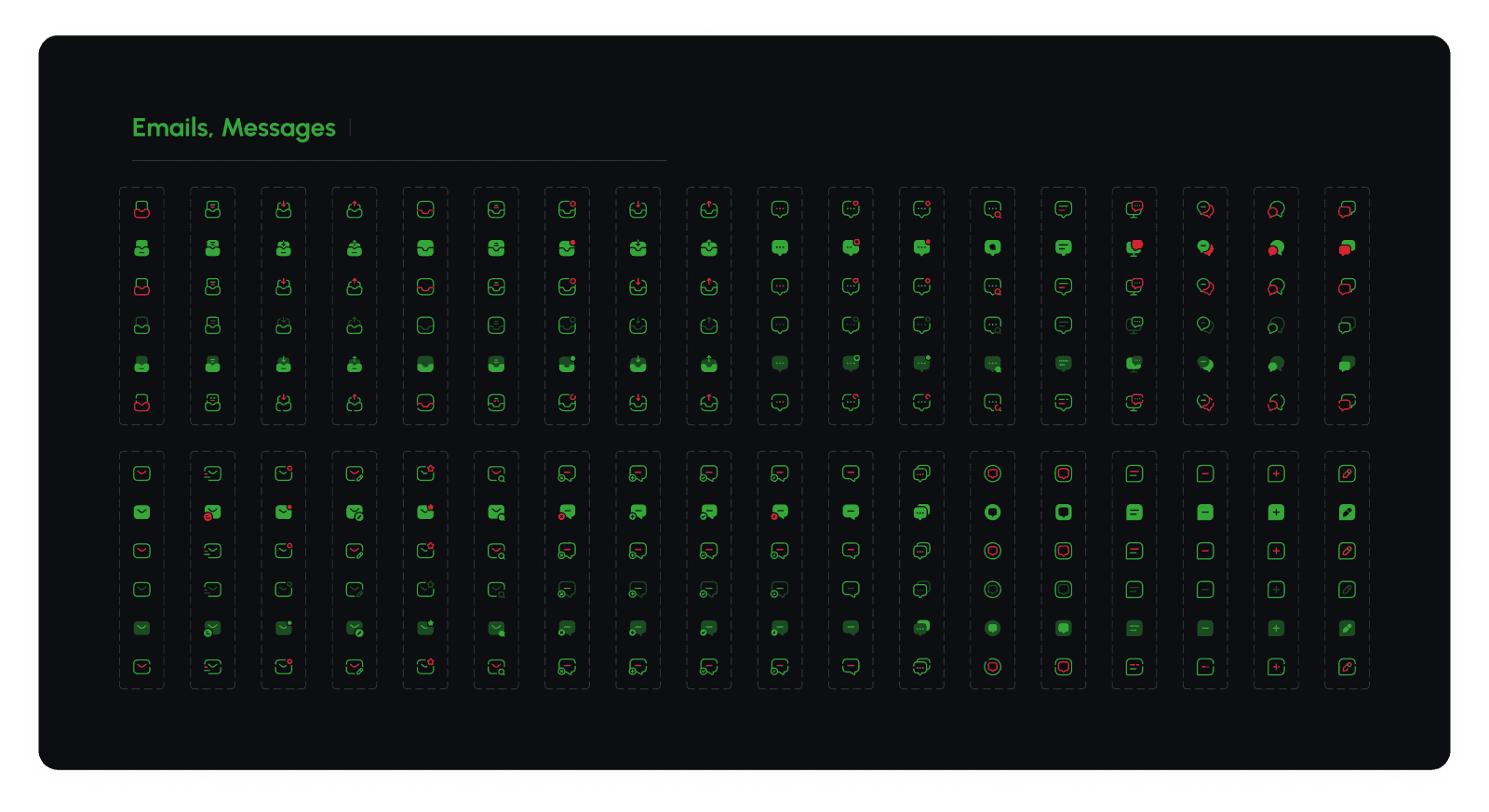
Added numerous new icons with 5 different styles and redesigned existing ones with a 2px stroke, ensuring visual harmony with the lighter Medium weight typography and creating a more cohesive, balanced interface.
spacing
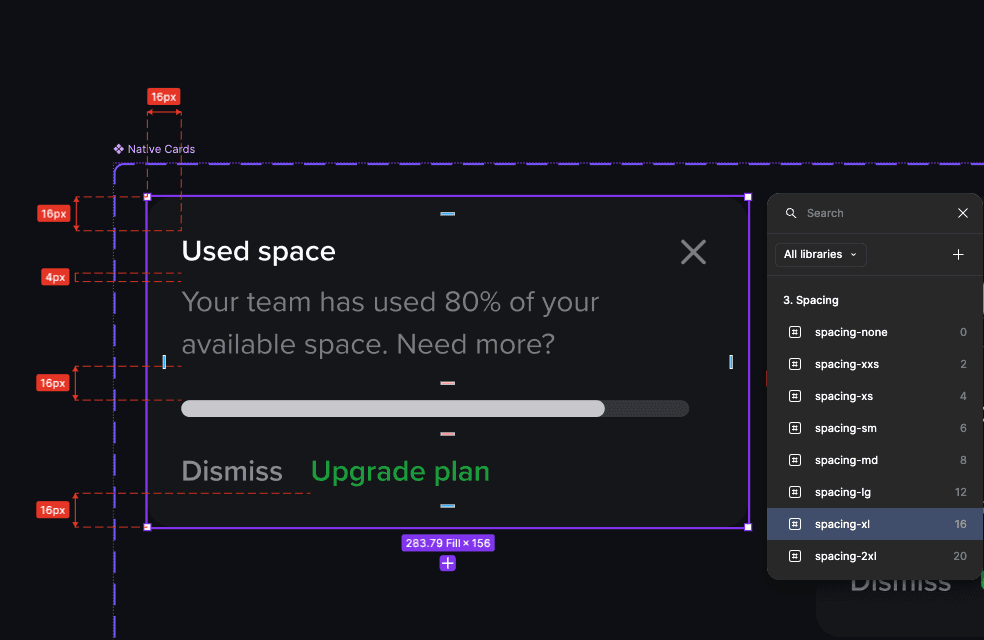
A defined semantic spacing tokens for every type of spacing, achieving a solid and consistent rhythm across all areas of the app.
Components library
Organization of the file
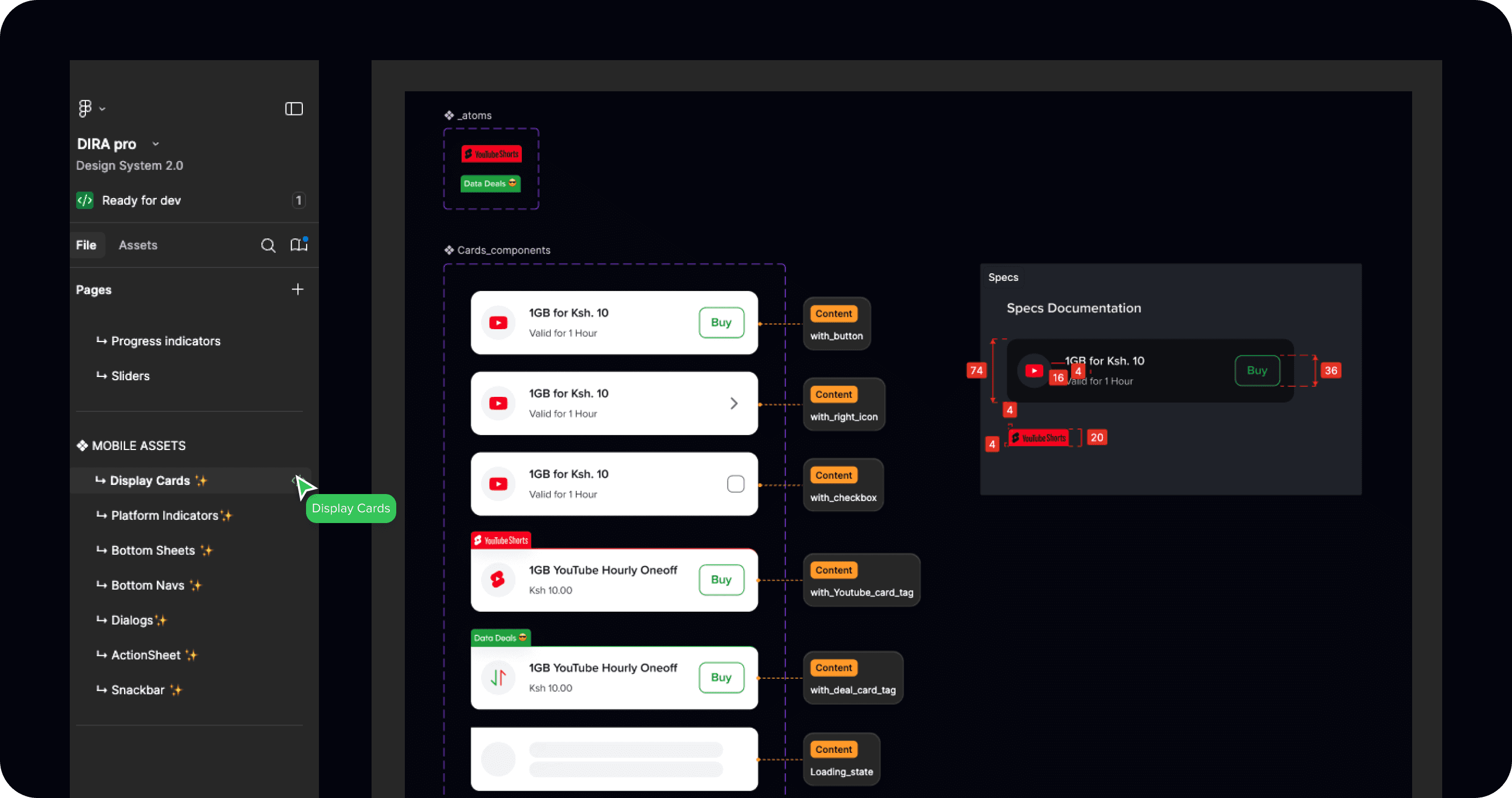
Our Component Library file is thoughtfully organized, with each page containing multiple components that belong to the same group. Each page is divided into two sections: one showcasing the atoms and components, and the other to the right, providing detailed documentation for each component within the group.
Good practices
Variants are fundamental in components, but analyzing their characteristics is crucial. Understanding which features can coexist helps define what should be a variant and what should be a boolean.
Using booleans is crucial for optimizing the number of variants in our components, as it enhances usability while simplifying maintenance and scalability.
_atoms
Atomic Design ensures a scalable, modular structure by breaking components into smaller parts, promoting consistency, reusability, and faster design and development.

In the following example, you can see how the Metric-card component build with attoms and the flexibility of adjusting the various atoms.
Business Value
Business Value
Impact (First 3 Months)
Dira transformed design from a fragmented process into a scalable system, saving time, cutting costs, and boosting product consistency. It became not just a library, but a business efficiency engine powering growth.
Design-to-development handoff reduced by
60%
Design-to-development handoff reduced by
60%
UI mismatch-related design reviews reduced by
40%
UI mismatch-related design reviews reduced by
40%
[ROI] Cutting rework and reducing costs by
$250K annually.
[ROI] Cutting rework and reducing costs by
$250K annually.
Faster product launches — average release cycle shortened by
2 weeks
Faster product launches — average release cycle shortened by
2 weeks
Overall component reuse rate increased by
90%
Overall component reuse rate increased by
90%
92% of designers and 87% of developers reported faster workflows and smoother handoffs.
92% of designers and 87% of developers reported faster workflows and smoother handoffs.
Testing & Adoption
Piloted Dira with 2 product teams before scaling org-wide.
Gathered feedback via design critiques and dev syncs.
Iterated on components and guidelines based on real-world usage.
Rolled out monthly updates to evolve the system without disruption
"I saved hours each week because I don’t have to reinvent basic patterns anymore."
Product Designer
"Handoffs are finally smooth — I get fewer design clarifications and can ship faster."
Developer
"Ease of use and how easy delivery of projects has become. Consistent clean designs."
Ui Designer
Next Steps
Looking ahead, we also continued to think about ways to improve the design system with the following;
Design Rules & Detaching Guidelines: Document when to follow system rules strictly vs. when to detach for flexibility.
Onboarding Templates: Create ready-to-use starter kits for new designers and developers to accelerate adoption.
Governance Framework: Establish contribution workflows, approval processes, and regular audits to ensure quality and evolution.
Cross-team Evangelism: Run study jams, showcases, and office hours to maintain visibility and encourage contributions. Scalability: Expand the system to cover motion design, accessibility standards, and cross-platform consistency.
Lessons Learned
After the launch, I realized several key lessons. Reflecting on the process from planning to execution revealed insights about the importance of adaptability and open-mindedness.
A design system is not just components — without clear rules and governance, adoption becomes fragmented.
Designers and developers need shared ownership; when only one side drives it, usage drops.
Early wins (small but high-impact components) help build trust and momentum across teams.
Consistent communication and training are as important as the system itself.
The team behind
The team behind
Meet our team
Alex Karanja
Ux Lead
Alex Karanja
Ux Lead
Stephen Maina
Tech Lead Software Engineering
Stephen Maina
Tech Lead Software Engineering
Christopher Muiruri
Frontend Web Developer
Christopher Muiruri
Frontend Web Developer
Kelvin Mutiso
Product Designer
Kelvin Mutiso
Product Designer
Nicholas Ochodo
UI Designer
Nicholas Ochodo
UI Designer
Fredrick Juma
Product Designer
Fredrick Juma
Product Designer
Rose Maina
IOS Developer
Rose Maina
IOS Developer
Zakayo Ngige
Android Developer
Zakayo Ngige
Android Developer
Design System
Enabling 100+ designers & developers to ship cohesive experiences faster
As we launched new products, our design system needed to evolve. I led the rebuild of Dira, improving its component library and enhancing foundational elements to create a more cohesive and scalable system.
Dira is designed to drive consistency, efficiency, and seamless collaboration between design and development.
By organizing and maintaining the system, I ensured a unified design language that strengthened brand identity, enhanced user engagement, and elevated the overall product experience.
Key Results
Improved Consistency: Achieved 90% component usage across products, reducing inconsistencies and design deviations.
Faster Delivery: Cut average design-to-development handoff time by 35% through standardized components and clear documentation.
Increased Adoption: 100% of design and engineering teams actively using the Dira library within two months of launch.
Responsibility
I owned the entire design system creation from foundation to implementation.
I handled stakeholder management, led multiple design iterations based on feedback, and collaborated closely with the development team to ensure seamless handoffs.
Timeline
3 month for the MVP
Progresive Improvements
👇 A glimpse of Dira
The highlight video shows a full walkthrough of Dira presented to the tech team with Chris. The session demonstrated how teams use Dira for design implementation, handoff, and translation of documented components into the code base.
How we got there
The Problem
Shipping solutions was inefficient. Misalignments between the design and dev teams were common and the user experience lacked end-to-end cohesion. I enabled 100+ colleagues to ship at scale, while reducing repetitive design effort by 2-3x.
Before Dira, there was no internal design system. Each team designed in isolation, leading to:
Gaps we couldn't Ignore
Inconsistent UI patterns across products
Repeated design work and wasted effort
Painful handoffs between design and development
Longer release cycles due to rework and QA issues
" This fragmentation slowed us down and diluted the brand experience."
The Solution
Dira is an internal design system created to bring consistency, efficiency, and scalability. Before Dira, design teams were creating screens in isolation — resulting in mismatched components, duplicated effort, and a lack of visual cohesion.
Dira supports a wide range of B2C and B2B products across web and mobile, so every decision must account for the scale and complexity of this ecosystem.
Below is a breakdown of how our Design System is structured, detailing its different layers and their purpose.
The Design Process
They say your design process is important, but they don’t tell you that every problem and situation will demand something new and different. So, no it was not double diamond, lean or agile, we were the process.
Discover
The problem was defined using evidence of inconsistent designs across teams. Existing products were reviewed and screenshots were gathered and interaction patterns were audited.
Develop
Component requirements were created from the audit findings. Early component drafts built in Figma with clear usage rules. Tested by designers and engineers in short review cycles.
Deliver
The Dira library is published with tokens, components, and guidelines. Designers and engineers are trained through short handover sessions.
Who needs Help?
The Personas
Designer
Pain points
- Inconsistent components and interaction patterns across products. - Unclear naming and documentation causing delays
Needs
- A unified, easy-to-use component library. - Clear guidelines and usage rules
Frontend Engineer
Pain points
- Designers use components differently. - Missing or incomplete documentation delays development
Needs
- Standardized components with code-ready specs. - Clear design tokens and interaction rules
Goals
1.
Visual consistency
Standardize components, styles, and interactions to ensure a cohesive and polished user experience.
2.
Improve design and development efficiency
Streamline workflows, reduce redundancies, and enhance collaboration to speed up execution.
3.
Create a flexible and scalable system
Build a system that adapts to evolving needs, supports new use cases, and grows with our products.
👇 Dira Pro in action — across the org, in minutes.
Principles.
Aesthetics
A polished UI enhances trust and reduces friction.
Gestalt approach
We use Gestalt principles for intuitive, coherent components.
Light cognitive load
Clear choices and structure enable effortless decisions.
Visual hierarchy
Contrast, size, and spacing improve focus and scanning.
Consistency
Predictable patterns accelerate learning for seamless UX.
Adaptability
Components evolve to support new cases with consistency.
Let's get to work
The Foundation
Organization of the file
In our Foundations file, we follow industry best practices for structuring Design Systems, with dedicated pages for essential design elements.
Each page is organized with a clear layout: an introductory section on the left that provides context and guidelines, and a main content area on the right that showcases all design assets and specifications in detail.
This structure ensures clarity, ease of navigation, and efficient collaboration across teams.
General improvements
tokens
Improved the definition and structure of our design tokens, making them more scalable and adaptable to the diverse needs of all our products. This new system ensures consistency across our ecosystem while allowing flexibility to support future growth and evolving design requirements.
colors
Expanded and fine-tuned our color palette to enhance contrast and ensure accessibility, making our interfaces more inclusive and visually consistent.
typography
Introduced the Proxima Nova font, replacing the previous (Futura) in many screens to reduce visual load and improve readability. Additionally, we adjusted the line height of certain styles for better text balance and clarity.
icons
Added numerous new icons with 5 different styles and redesigned existing ones with a 2px stroke, ensuring visual harmony with the lighter Medium weight typography and creating a more cohesive, balanced interface.
spacing
A defined semantic spacing tokens for every type of spacing, achieving a solid and consistent rhythm across all areas of the app.
Components library
Organization of the file
Our Component Library file is thoughtfully organized, with each page containing multiple components that belong to the same group. Each page is divided into two sections: one showcasing the atoms and components, and the other to the right, providing detailed documentation for each component within the group.
Good practices
Variants are fundamental in components, but analyzing their characteristics is crucial. Understanding which features can coexist helps define what should be a variant and what should be a boolean.
Using booleans is crucial for optimizing the number of variants in our components, as it enhances usability while simplifying maintenance and scalability.
_atoms
Atomic Design ensures a scalable, modular structure by breaking components into smaller parts, promoting consistency, reusability, and faster design and development.
In the following example, you can see how the Metric-card component build with attoms and the flexibility of adjusting the various atoms.
Business Value
Impact (First 3 Months)
Dira transformed design from a fragmented process into a scalable system, saving time, cutting costs, and boosting product consistency. It became not just a library, but a business efficiency engine powering growth.
Design-to-development handoff reduced by
60%
UI mismatch-related design reviews reduced by
40%
[ROI] Cutting rework and reducing costs by
$250K annually.
Faster product launches — average release cycle shortened by
2 weeks
Overall component reuse rate increased by
90%
92% of designers and 87% of developers reported faster workflows and smoother handoffs.
Testing & Adoption
Piloted Dira with 2 product teams before scaling org-wide.
Gathered feedback via design critiques and dev syncs.
Iterated on components and guidelines based on real-world usage.
Rolled out monthly updates to evolve the system without disruption
"I saved hours each week because I don’t have to reinvent basic patterns anymore."
Product Designer
"Handoffs are finally smooth — I get fewer design clarifications and can ship faster."
Developer
"Ease of use and how easy delivery of projects has become. Consistent clean designs."
Ui Designer
Next Steps
Looking ahead, we also continued to think about ways to improve the design system with the following;
Design Rules & Detaching Guidelines: Document when to follow system rules strictly vs. when to detach for flexibility.
Onboarding Templates: Create ready-to-use starter kits for new designers and developers to accelerate adoption.
Governance Framework: Establish contribution workflows, approval processes, and regular audits to ensure quality and evolution.
Cross-team Evangelism: Run study jams, showcases, and office hours to maintain visibility and encourage contributions. Scalability: Expand the system to cover motion design, accessibility standards, and cross-platform consistency.
Lessons Learned
After the launch, I realized several key lessons. Reflecting on the process from planning to execution revealed insights about the importance of adaptability and open-mindedness.
A design system is not just components — without clear rules and governance, adoption becomes fragmented.
Designers and developers need shared ownership; when only one side drives it, usage drops.
Early wins (small but high-impact components) help build trust and momentum across teams.
Consistent communication and training are as important as the system itself.
The team behind
Meet our team
Alex Karanja
Ux Lead
Stephen Maina
Tech Lead Software Engineering
Christopher Muiruri
Frontend Web Developer
Kelvin Mutiso
Product Designer
Nicholas Ochodo
UI Designer
Fredrick Juma
Product Designer
Rose Maina
IOS Developer
Zakayo Ngige
Android Developer
View More
View More
Other Projects
View More
Other Projects
Survey Tool
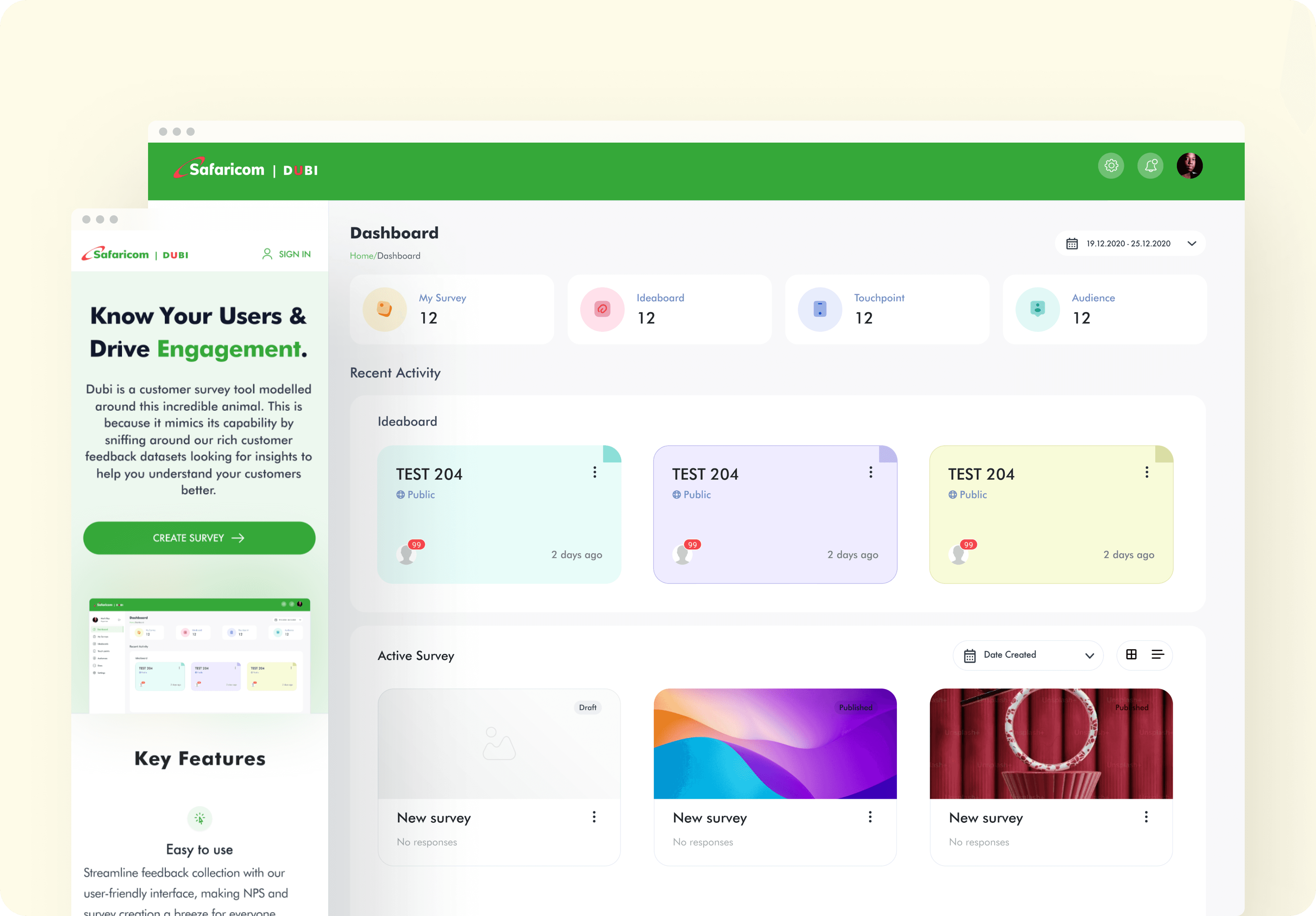
Turning scattered feedback into 4X faster decisions for teams, Powering better products ans expereicnes.
Read More
Survey Tool
Turning scattered feedback into 4X faster decisions for teams, Powering better products ans expereicnes.
Read More
Survey Tool
Turning scattered feedback into 4X faster decisions for teams, Powering better products ans expereicnes.
Read More
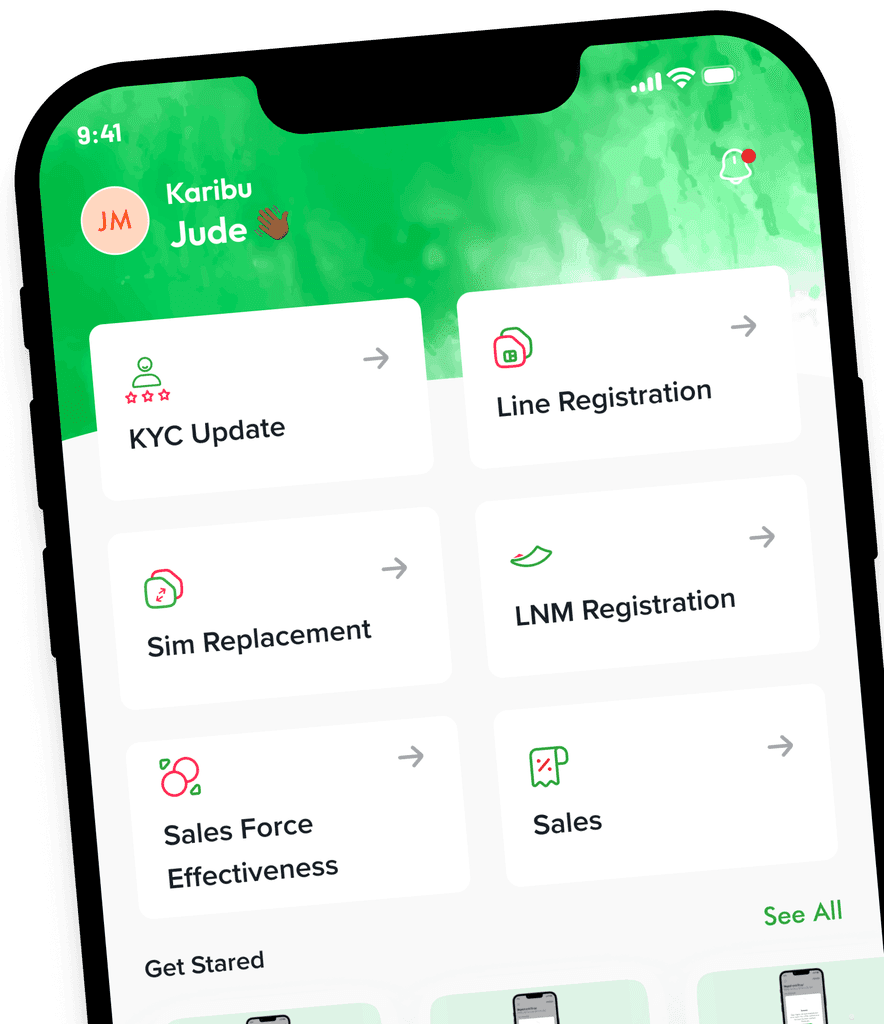
Partner App Redesign
Driving Growth: A Redesign to Increase Agent Productivity and improve user expereince
Casestudy Coming Soon
Partner App Redesign
Driving Growth: A Redesign to Increase Agent Productivity and improve user expereince
Casestudy Coming Soon
Partner App Redesign
Driving Growth: A Redesign to Increase Agent Productivity and improve user expereince
Casestudy Coming Soon
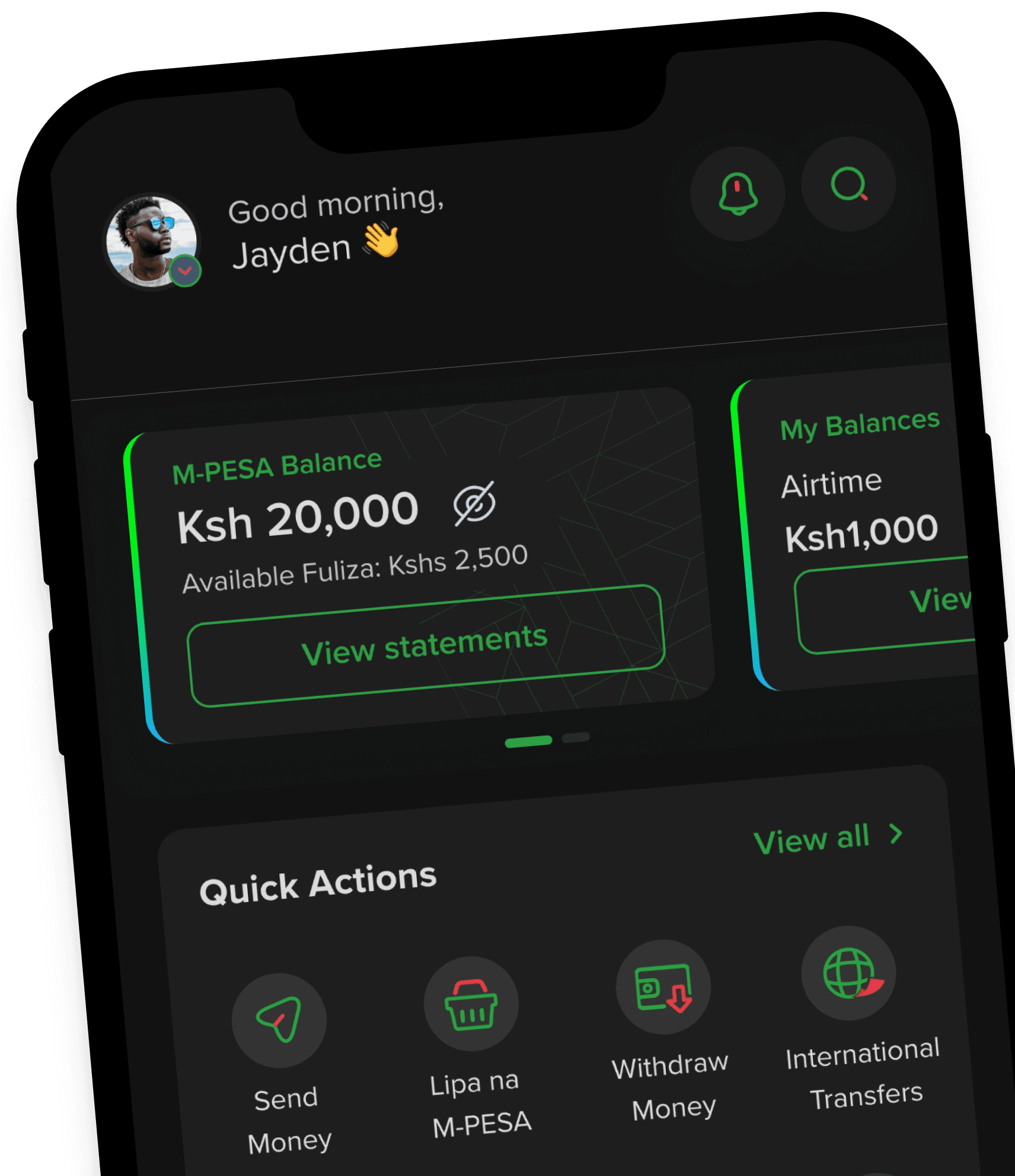
Apps Merging
Consolidating Chaos into One single Seamless Experience on One App.
Casestudy Coming Soon
Apps Merging
Consolidating Chaos into One single Seamless Experience on One App.
Casestudy Coming Soon
Apps Merging
Consolidating Chaos into One single Seamless Experience on One App.
Casestudy Coming Soon